


The Epsilon Messaging package allows sending notifications via SMS or Viber for Ergani Advanced versions that have the notifications setting enabled.
1. Purchase
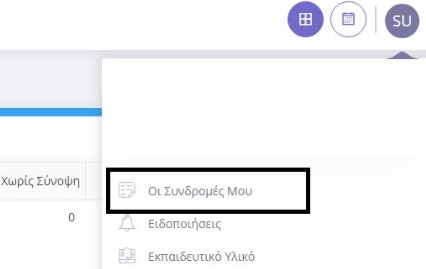
To purchase the Epsilon Messaging package, you will need within your epsilon smart ergani subscription to click on the top right of your account button ( the one with two initials) and select My Subscriptions
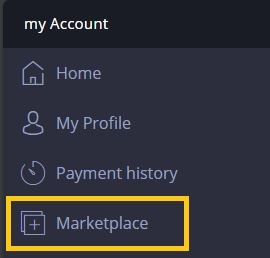
From the menu on the left select Marketplace.
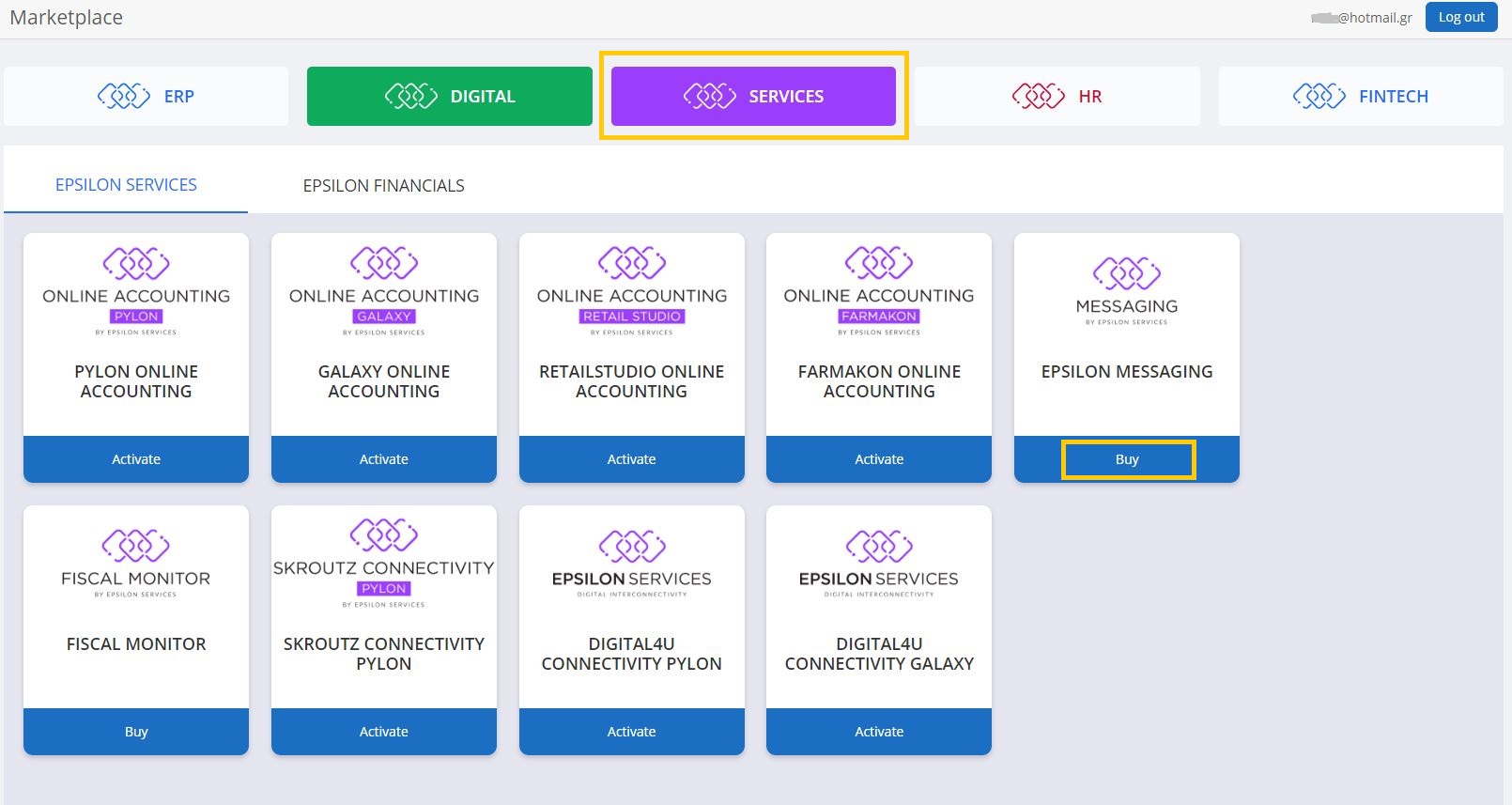
Then select the SERVICES category and in the Epsilon Messaging box click Buy.
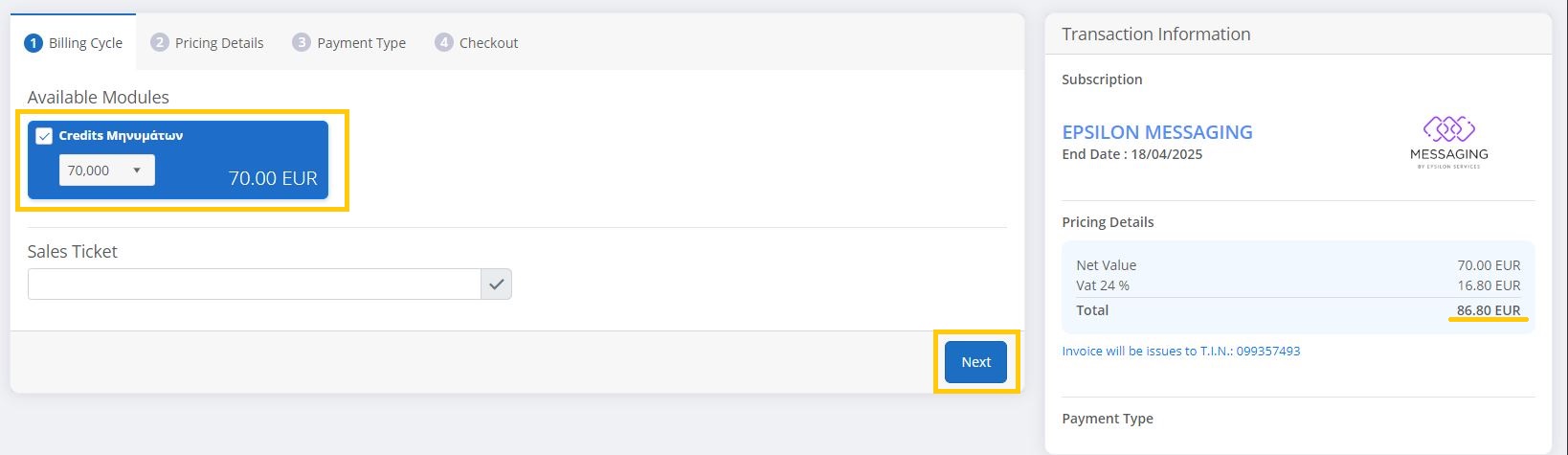
In the marketplace menu select the messaging package and from the list select the number of tokens you want to buy and select Next.
2. Get Subscription Key
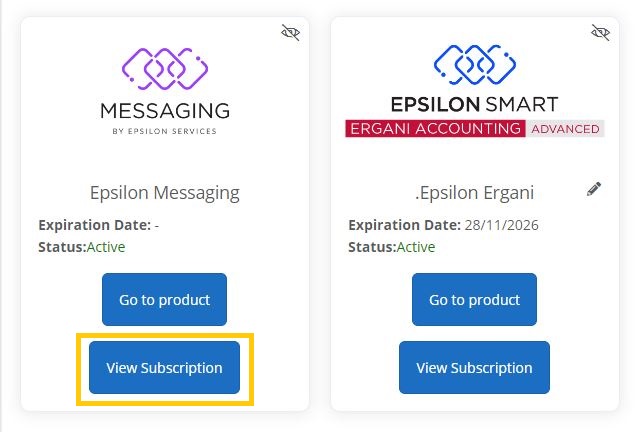
When the purchase is complete select the Subscription button to view the details of the new subscription.
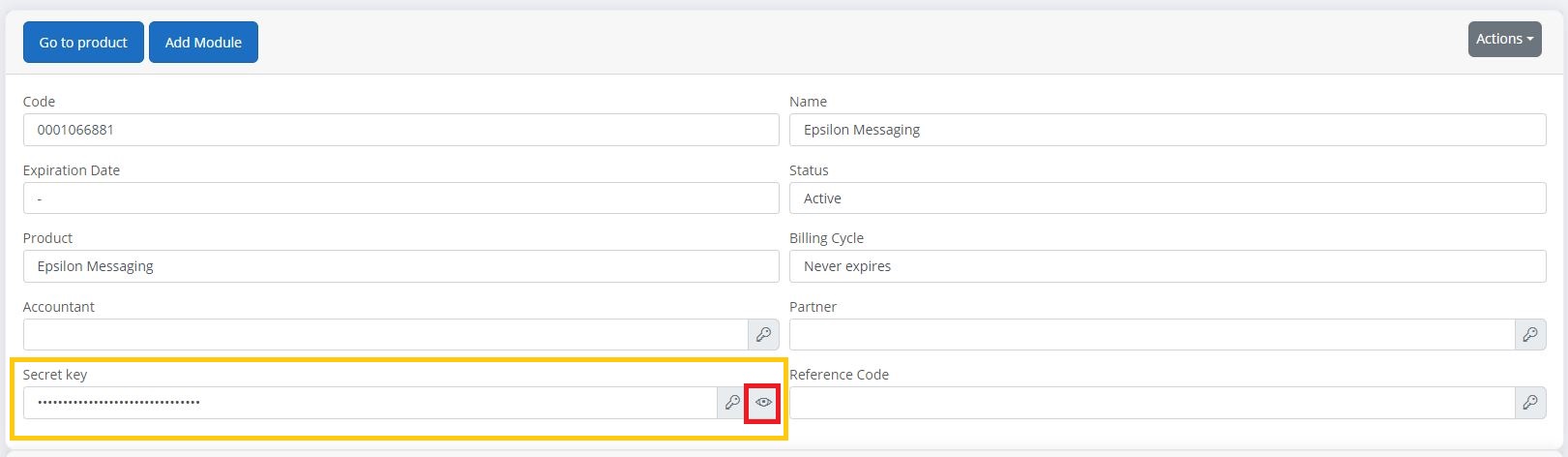
In the Secret Key field, click the eye button to display the key and copy the key to an external file as you will need it later.
3. Create API User
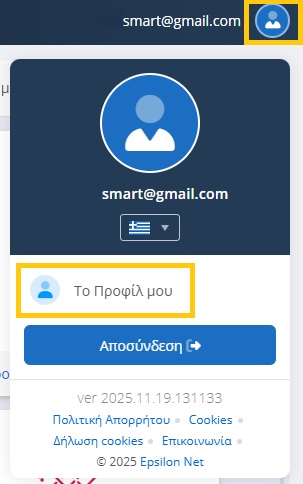
To create an API user, you will need to select “My Profile” from the button with your profile picture in the top right.
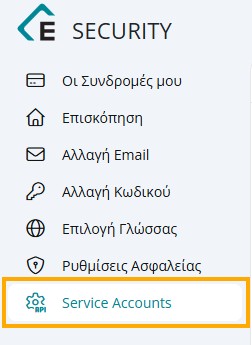
From the side menu select Service Accounts.
On the top right, select the Create Service Account button.

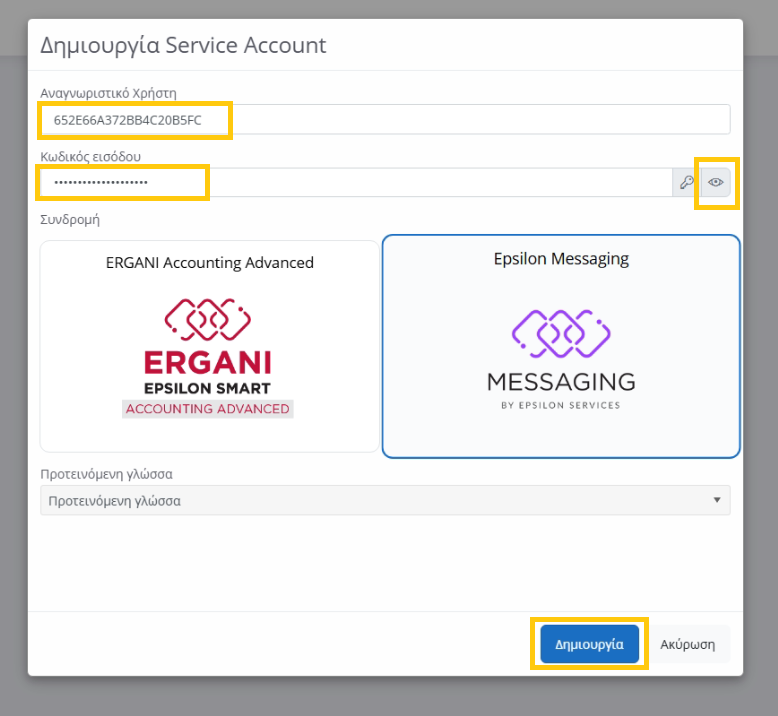
In the new window that will appear, select the Epsilon Messaging Subscription, and keep the User ID and Password, copying them to an external file (to see the password, click the button with the eye on the right). Finally, select Create.
4. Connect to Epsilon Smart ERGANI
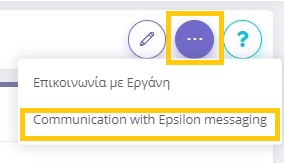
Then inside your Smart Ergani Advanced you want to connect to the messaging service. You will need to go from the side menu on the left to Settings – Company. Tap the top right Actions button and select Communication with Epsilon Messaging.
Fill in the 3 items you reserved in the previous step. Epsilon username, and Epsilon Messaging Password as well as the Messaging Subscription Key. With the Test Connection button you can check that the details have been entered correctly.
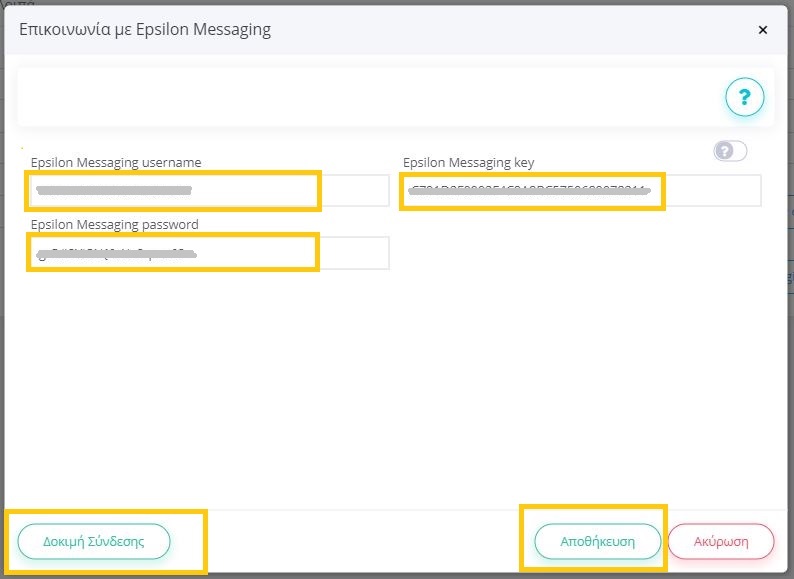
Finally, click Save and the connection to Epsilon Messaging is now complete.