


The subscription key is used together with the API user details to connect the Epsilon Smart Ergani application with other EpsilonNet services.
Specifically, it concerns the connection of Epsilon Smart Ergani to the Time Connector service, as well as for connections between Epsilon Smart Ergani Business and the Business, Pylon and Premium HRM payroll applications.
To locate the subscription key, you will first need to log in to your account by entering your login details.
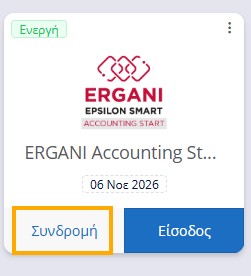
On the Home Page of your account, select the Subscription indication in the box of the subscription for which you wish to find the key.
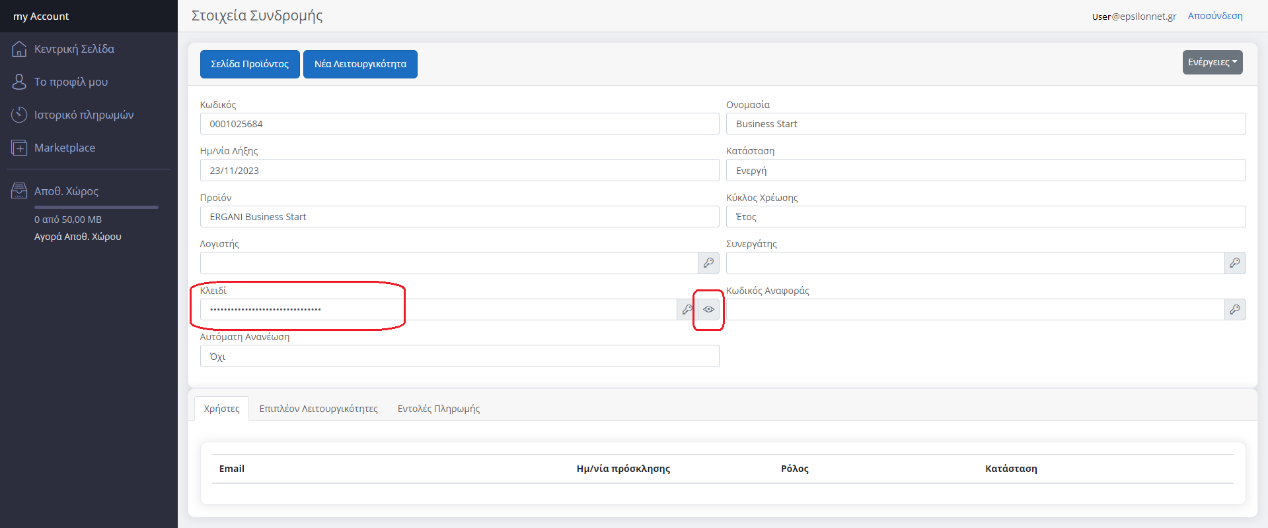
In the Key field, click the eye button to display the subscription key. Select the key and copy it, ideally transfer it to an external file so that you have it available.
The subscription key cannot be used alone, but only in combination with the relevant login details of an API User. See HERE how to create an API user.